

Organise + design your Reno with these resources
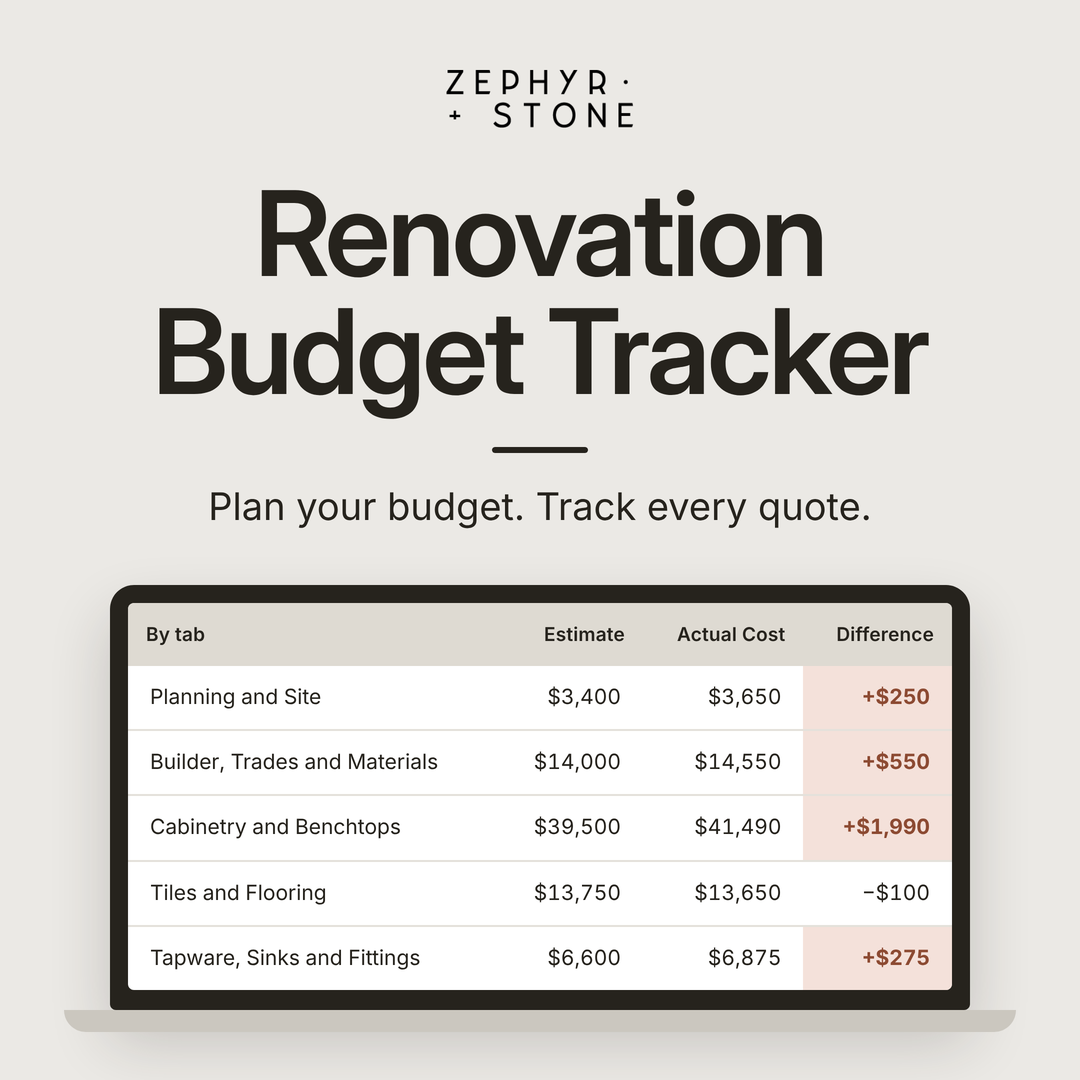
The Renovation Budget Tracker is a renovation budget template pre-loaded with over 200 items, from design fees and trades to tiles, tapware and furniture. It lets you plan your budget before you start, then track your real costs as quotes come in and you start paying. It totals everything for your whole renovation and for each room, so you always know where your budget stands.
What’s inside the tracker
You're never starting from a blank page. The items are grouped into 10 sections, each one a part of your renovation:
Planning and Site: design, approvals, demolition, skip bins and equipment hire
Builder, Trades and Materials
Cabinetry and Benchtops
Tiles and Flooring
Tapware, Sinks and Fittings
Electrical and Appliances
Windows, Doors and Blinds
Outdoor
Furniture
Other Costs
Every item has a place for your estimate while you plan, and your actual cost once you have a quote in writing or have paid. If the actual cost is higher than your estimate, it shows in red, so you see it the day the quote lands, not when the money's gone.
If a builder is quoting the whole job, their total goes in as one line, and you only add what isn't in their quote, like your appliances or furniture. Items you don't need stay empty.
Short notes beside some items point out the costs that are easy to forget.
A summary page adds it all up for you, by section, by room and in total, with your estimate and your actual cost side by side. Each item can be given a room, like the kitchen or ensuite, so you see what each room is costing you. Your contingency, the money you set aside for surprises, is added to your total at the percentage you choose. All amounts are entered including GST.
Who it's for
The tracker works for homeowners renovating or building, whether you're working with a builder or managing the trades yourself.
It's built for you if:
You don't know what your project will actually cost.
You've started planning, and costs feel like they're getting out of control.
You're juggling quotes and need one place to track everything.
I built this tracker for my own renovations and developments and I've used to keep every one of them on budget for around 20 years.
For typical figures, here’s what a renovation costs in Australia, and what to set aside in your renovation budget.
It works best in Excel on a computer. It also opens in Google Sheets and Apple Numbers, but some features may not work the same way.
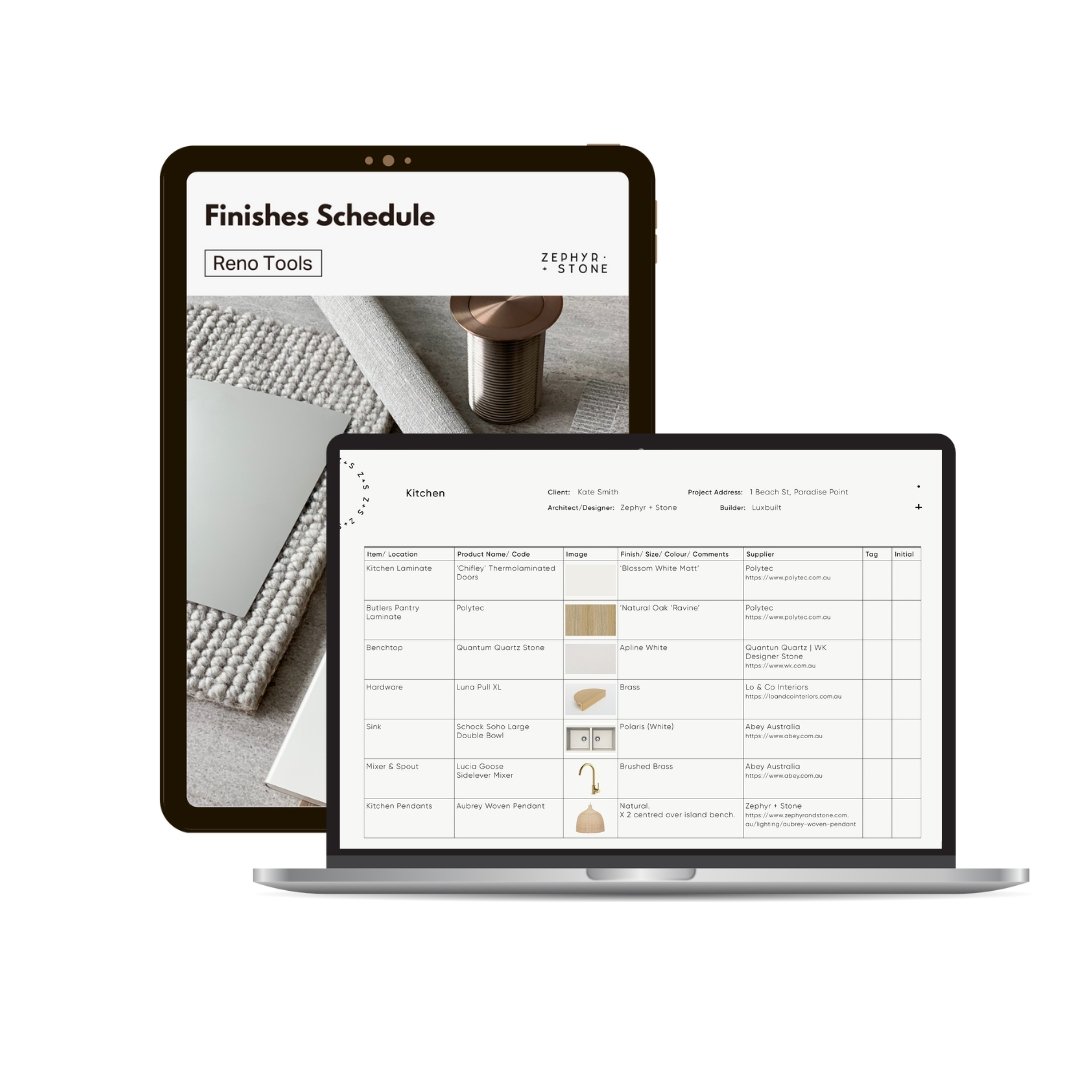
◾ #1 template for organising and managing your home renovation or building project
◾ Your Finishes Schedule is the QUICK + EASY way to store + keep track of all building products, fixtures + fittings, finishes + colours
◾Store the following home product details in your Schedule of Finishes to reference at any time during the planning stage and throughout your project —
✔️ Product names
✔️ Building product + product codes
✔️ Brand names
✔️ Colours, including material and paint colours
✔️ Product sizes, length and width dimensions
✔️ Supplier and manufacturer details, including websites and contact details
✔️ Any comments, installation notes or details for trades
✔️ Upload images of the product to visualise for trades and your building team
◾ Share your Digital Finishes Schedule with your builder, trades, architect… and other half or print it for handy reference onsite
◾ Store + edit your Finishes Schedule on your computer, phone or tablet to keep project details at hand, and quickly and easily reference or check product specifications during site visits and hardware shop runs
◾ Share your Finishing Schedule with your building team instantly at any time, and refer back to your schedule template for paint touch-ups or home improvements years from now
◾ Everyone always has access to the crucial details of your project, so nothing is missed.
◾ Use your finish schedule template for renovating one room or building your new home. Enter finishes + selections while you design and plan your project.
◾ It’s the tool that professionals like interior designers, builders + architects use, and now it’s yours!
◾ Includes a Prompt Sheet so you know exactly what products to include
◾ Template is used in the free version of Canva and can be used for this project and the next
MUST-HAVE project management tool for any home or DIY project — kitchen renovation, bathroom renovation, laundry renovation and everything in between — to save time, money and costly mistakes!
There’s no better way to add character to cabinetry than with a panelled door; and whether you want to keep things subtle and understated, add drama and impact, or simply create a traditional look, there’s a panelling profile that’s just the ticket. We look at some popular panelled cabinetry options and the visual impact they have in these homes…
Vertical Skinny Lines
If you’re looking for a contemporary, panelled look then you can’t go past vertical lines. Keeping lines close together like the Polytec 3D Cove custom profile, adds impact to your space through the repetition of the pattern. This profile has a scalloped finish, which casts subtle shadows along the vertical textured curve.
There’s a range of vertical-lined, panelled cabinetry options to create different looks, or if you can’t find what you’re after, you can create your own custom profile with features like half-round or grooved vertical channels.

• Zephyr and Stone • Contemporary Coast Kitchen Project featuring Polytec 3D Cove Custom Profile

• Zephyr and Stone • Contemporary Coast Project featuring Polytec 3D Cove Custom Profile
Vertical Wider Joins
Basically, we’re talking about the classic VJ look, although you may also hear this style referred to as Tongue and Groove or V-Groove. This style suits a contemporary, coastal or traditional home, depending on the colour of your cabinetry and the other finishes or products in your space.
Especially when incorporated floor-to-ceiling in design, vertical lines can visually make ceilings appear higher. So if you’re stuck with a lower than ideal ceiling height, vertical lines could be the key to maximising your space and making ceilings appear higher than they are.
Just bear in mind that they can also make a room feel narrower (the tall and skinny illusion) so be careful using them if your space is already quite narrow - there’s another solution for that and we’ll get to that shortly…

• HWB Group • VJ Panelling Kitchen Cabinetry
Classic Shaker Style
Shaker-style cabinets are those that have a flat centre, with a picture-framed border. The shaker is a classic style that has been used in design for centuries, and although it falls in and out of trend, its timeless lines mean it never really falls out of style. This classic style adds an understated detail to your space and its recent growing popularity means there’s a huge range of readily available profiles to choose from.
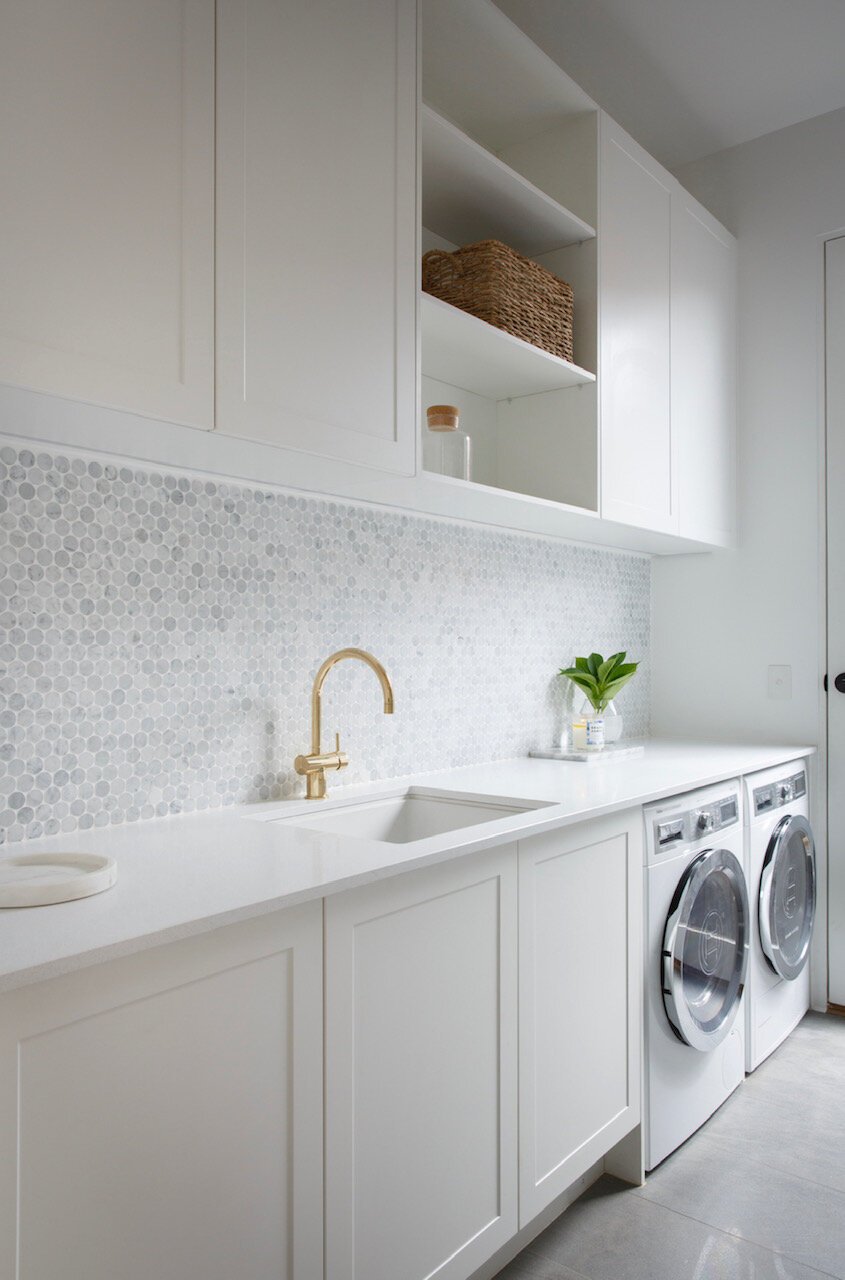
• Julia and Sasha • Shaker Style Laundry Cabinets
Shaker Style On The Skinny
Think Shaker Style but a lot more minimal. This is the perfect profile to add character to your cabinetry, whilst still keeping it contemporary and understated. A slim, raised picture-framed border is the only texture to the otherwise flat-panelled face.
If you want to keep your cabinetry really simple but add just a bit of interest, this profile may be just the ticket!
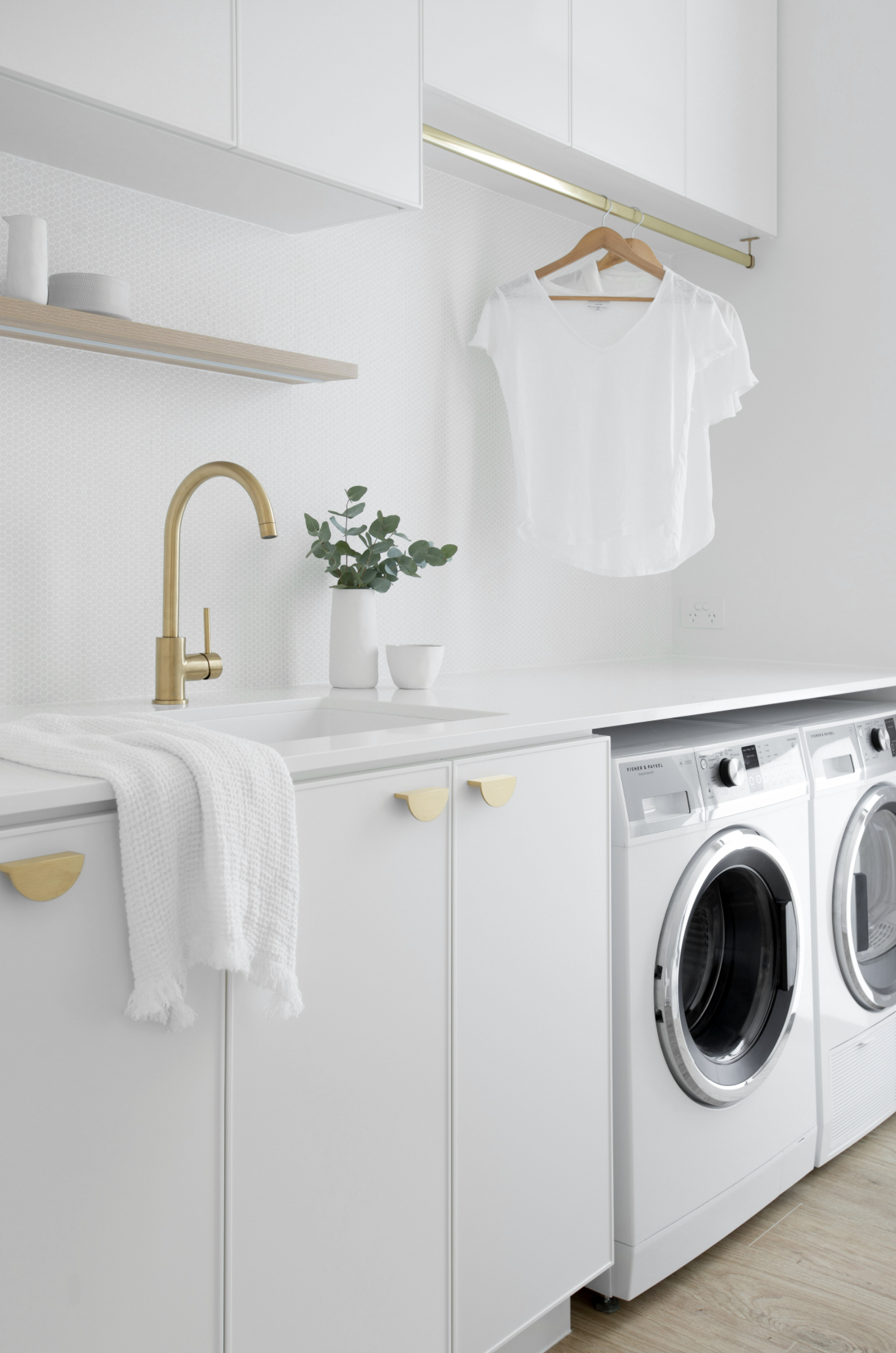
• Zephyr and Stone • Classic Coastal Laundry Project featuring Polytec ‘Chifley’ Profile
Horizontal Lines
Have a narrow space? Use horizontal lines in design to give your space the illusion of width.
Horizontal lines in your cabinetry can make an area appear wider - or combine horizontal and vertical lines to really make a statement. Horizontal lines complement traditional or classic finishes and add texture and pattern to a space, through repetition.
Take care if incorporating horizontal lines in a home with low ceilings, as when installed floor to ceiling along a wall, they can create the illusion of your ceilings being lower than they are.

• B.E Architecture • Horizontal Line Wardrobe Cabinetry
So if you’re wanting to take your design to the next level, a panelled door profile may be the key…and we’ve only just scraped the surface (pun intended), of the huge range of options available.
So whether you’re looking to add impact or simply some understated texture, there’s a profile to suit, complement and elevate the cabinetry in your home.

• Zephyr and Stone • Contemporary Coast Ensuite Project featuring Polytec 3D Cove Custom Profile